A guide to in-house payroll vs. outsourcing for construction companies
Blog
Payroll

Construction companies face complex labor and payroll compliance challenges, frequently managing multiple jobsites, variable pay rates across job and cost codes, and diverging multi-state reporting obligations.
As contractors grow their operations, manual spreadsheets and paper timecards start creating payroll errors and compliance risks like prevailing wage violations. Some growing construction businesses turn to automated systems to speed up and simplify payroll processing. But many still prefer to run payroll manually to maintain control and keep costs low.
This guide explains what payroll automation is. Explore manual payroll vs. automated payroll, the pros and cons of each, and how to adopt automation without losing control.
Manual payroll is the process of calculating and paying wages using basic spreadsheets and paper records. Payroll managers track hours, withhold taxes, and administer benefits by hand.
There are a number of potential benefits to running payroll manually, especially for small businesses with budget constraints, including:
Manual payroll also comes with some distinct disadvantages, particularly for growing construction companies with complex needs. Risks of manual payroll processing can include:
An automated payroll system is a digital platform that uses field data to calculate wages, deductions, taxes, and benefits. Instead of an administrator manually collecting information and calculating pay, the system does the work for them.
However, outsourcing payroll to a digital platform doesn’t automatically take control away from the business. Many of the best construction payroll software solutions automate certain repetitive tasks while keeping payroll teams in control. This way, contractors maintain oversight while simplifying more complex or time-consuming payroll tasks.
Contractors typically switch to automated payroll systems for faster, simpler, and more accurate administration. While software-based payroll isn’t necessary for every company, many construction firms benefit from some degree of automation, including:
While automated systems offer long-term benefits, there are still some drawbacks, especially for smaller companies with limited software knowledge. These include:
Let’s take a look at the main differences between manual payroll and automated payroll:
| Feature | Manual payroll | Automated payroll |
| Processing time | Requires hours of manual wage and tax calculations during every pay cycle | Completes wage calculations and generates reports in minutes |
| Accuracy | Increases the risk of manual data entry mistakes and miscalculations | Maintains consistent accuracy through built-in calculation formulas |
| Cost | Keeps up-front software expenses low, but risks costly errors as complexity grows | Requires onboarding and subscription fees, but reduces long-term administrative costs |
| Compliance | Relies on administrators to manually track tax changes and build compliant records | Updates tax laws, overtime rules, and prevailing wages automatically across jurisdictions |
| Scalability | Becomes less sustainable as companies grow | Accommodates additional crews and multiple projects across locations |
| Data security | Depends entirely on internal file storage and manual recordkeeping practices | Centralizes field, office, and financial records with built-in security protections |
| Reporting | Requires payroll teams to create compliance reports from scratch every cycle | Generates certified payroll and compliance reports automatically in minutes |
| Training time | Depends on the institutional knowledge of individual administrators | Requires initial system onboarding, but simplifies ongoing workflows long-term |
| Team bandwidth | Ties up staff with repetitive data entry and manual verification at every step | Frees up payroll and HR teams to focus on strategic workforce and cost analysis |
Outsourcing payroll through automated software can reduce repetitive tasks so teams can focus on high-level analysis and decision making. However, companies only reap these benefits when they choose a system tailored to their operational needs and workforce.
Payroll systems come with different levels of automation and customizability, so contractors must consider a few important factors when evaluating software, including:
Moving to a completely new payroll system can support long-term efficiency and compliance, but contractors need a structured onboarding process to make the transition smooth. Here’s how to change over painlessly.
Evaluate current payroll collection, calculation, and reporting processes, from time tracking in the field to final payroll submissions. Identify current issues and inefficiencies like delayed paper timecards or time-consuming certified payroll compilation. Use those pain points to decide on important software features.
Review data, including employee information and tax forms, for accuracy before transferring it into the new system. Correct any identified discrepancies like outdated addresses or incorrect union classifications during this process to prevent calculation errors and compliance flags down the line.
Onboard the new software system at the start of a new pay period or tax reporting cycle. This simplifies recordkeeping and data tracking by eliminating manual record-stitching for a mid-cycle switch. Additionally, payroll and tax reporting run on strict calendar schedules, so migrating at the start of a quarter or year ensures tax withholding totals all live in one place.
Inform all employees, including field crews, of the transition, and explain how the new system will impact payments. Show workers how to access pay information and update any personal information or payment details.
Provide training to payroll and HR teams, ensuring they’re comfortable with new approval workflows and review systems. Proper training before the first payroll run helps reduce errors and stress.
As teams work through the first payroll cycle with an automated system, verify configurations, wage calculations, tax deductions, and employee time records. This helps catch and correct any data errors that may have slipped through during migration.
Contractors need payroll systems that strike the right balance between company control and operational simplicity. While manual tracking can work for very small crews, spreadsheets quickly stop making sense once a construction company grows past about 20 employees. This is especially true when weekly certified payroll reports, multi-union rate tables across job classifications, and project-specific fringe benefit calculations enter the mix. At that scale, calculating every rate deduction by hand is both time-consuming and error-prone.
Still, many construction leaders hesitate at the thought of automating or outsourcing payroll because they don’t want to hand off their books to an outside firm. But with modern construction software, outsourcing specific, tedious administrative tasks like tax filings and compliance reporting to software can simplify operations while keeping internal teams in the driver’s seat.
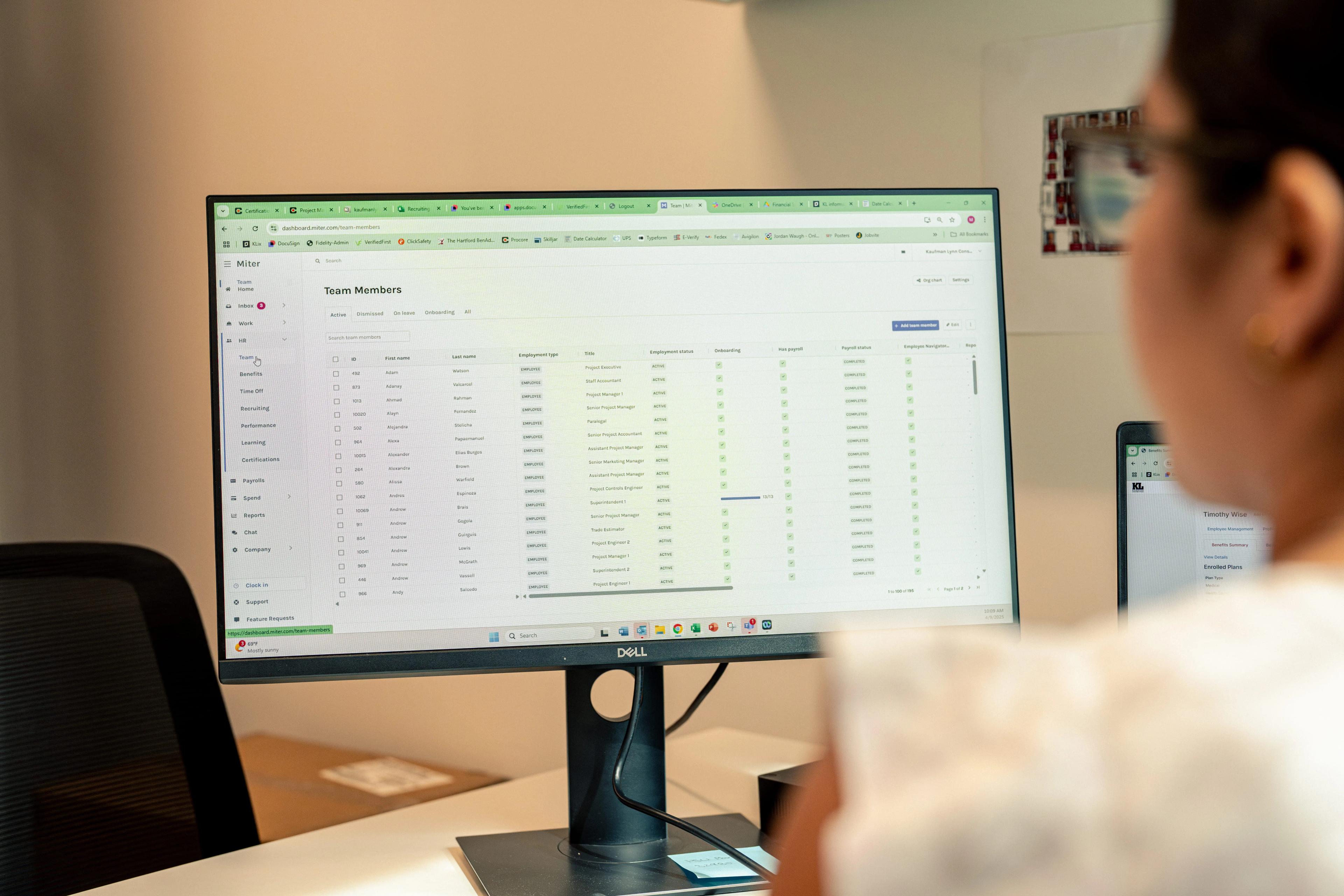
Miter Payroll maintains this balance. Rather than taking control from payroll teams, Miter automates the heaviest manual lifts of construction payroll, including:
Miter gives construction companies the straightforward automation they need, while contractors maintain full control over core decisions and final reviews.